Marketing and events, built right in.
Do everything from your CRM — email marketing and event management, standard on every plan.
We think you should be able to run it all from one system. That’s why email marketing and event management tools are included as standard for every OpenCRM customer — templates, statistics, scheduling, self-service preferences, automatic lists and full event management.
Custom email templates
Create as many custom email templates as you need — either using our editor or by copying from an external creator.
You can even duplicate the templates that come free with your system, giving you a head start on every campaign.
Unlimited templates
Create as many as you need in our editor.
Copy from anywhere
Bring in designs from an external creator.
Duplicate free ones
Start from the templates included with OpenCRM.
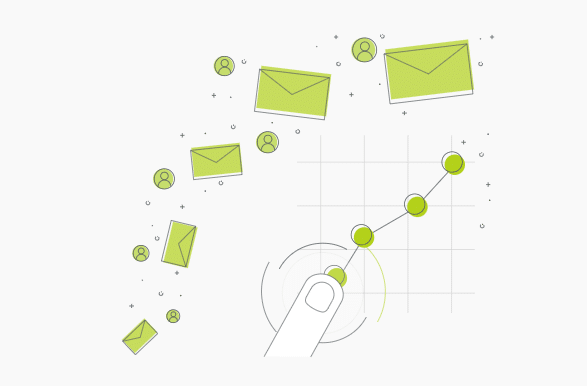
Email marketing stats
Gather marketing statistics — from click-throughs to opens to unsubscribes — by building links using our Click Through Wizard.
Link your Opportunities, Quotes, Sales Orders and Invoices to your Campaigns, and the aggregated figures appear right alongside your other stats — so at a glance you can see how each Campaign has performed.
Opens & clicks
Track engagement down to each link.
Click Through Wizard
Build trackable links in a few clicks.
Revenue linked
Tie Opportunities, Quotes and Orders to campaigns.
Send at the right time
Set the best time for your emails to send whenever you send out a Campaign. Schedule them as far into the future as you like, giving you the ability to fully automate your marketing process.
You can also build advanced email plans that send follow-up emails based on each individual’s responses.
Best-time sending
Pick exactly when each campaign goes out.
Schedule ahead
Queue campaigns far into the future.
Response-based plans
Follow-ups triggered by each recipient’s actions.
Let subscribers choose
Allow your subscribers to choose which emails they want to receive. Based on their changes, they can be automatically removed from the relevant Campaigns.
As an added bonus, your customers can also update their contact details while adjusting their email preferences — keeping your data clean without any effort from your team.
Choose what they get
Subscribers pick the emails they want.
Auto-removed
Preferences update campaign membership for you.
Self-updated details
Contacts keep their own information current.
Build lists automatically
Create as many lists (or custom views) as you need. Each Contact, Lead or Company that meets your criteria is added to these lists automatically.
When adding these lists to a Campaign, you’ll be notified whether any of the individuals you’re adding have previously chosen to unsubscribe.
Rule-based lists
Anyone meeting your criteria is added automatically.
Unlimited views
Segment contacts, leads and companies freely.
Unsubscribe alerts
Warned before adding anyone who opted out.
Manage event attendance
Use the Events module to manage meetings, events you’re hosting or attending, and pretty much any gathering of people.
Link your Contacts and Companies to show who’s definitely attending, who might be, staff who are working and those sponsoring it — then record attendance, fee payment and multiple sessions all from a single screen.
Host or attend
Manage any meeting or gathering of people.
Attendees & roles
Confirmed, maybes, staff and sponsors.
Attendance & fees
Record payment and multiple sessions in one place.
Email marketing & events questions, answered
The common things teams ask before running campaigns and events in OpenCRM.
What is email marketing software?+
Email marketing software helps businesses create, send and manage email campaigns from a central platform. It lets organisations communicate with customers and prospects, manage mailing lists, track engagement and measure campaign performance more effectively.
How can email marketing software improve customer engagement?+
It helps businesses deliver targeted communications to the right audience at the right time. By managing subscriber lists, campaign activity and response tracking in one place, organisations can build stronger relationships and improve communication with customers.
Can email marketing software help manage business events?+
Yes. OpenCRM includes event management capabilities, allowing businesses to promote events, manage invitations, track registrations and communicate with attendees throughout the event lifecycle.
What features should I look for in email marketing and event management software?+
Look for email campaign creation, audience segmentation, template management, subscription preferences, event registration, response tracking, reporting and integration with your CRM system — capabilities that help you manage marketing activities and events more efficiently.
Do I have to sign a long contract?+
No. OpenCRM subscriptions are based around the accepted principle of Pay As You Go. In other words, you pay a monthly subscription in advance and can cancel at any time.
Ready to run marketing from your CRM?
See OpenCRM’s Email Marketing and Events in action, or start your free trial today — no up-front commitment, no hidden fees.